
A service contact is someone you can attach to your filing in order to send an electronic service notification to them (i.e., e-service). Service contacts will remain attached to the case so that you may continue to serve them in the future, or others who file on the case may serve them as well.
Here is everything you need to know about managing your service contacts effectively.
How do I manage service contacts from the Case Information page?
You can organize your contacts before you even begin a filing.
Locate your case:
Click the View All button at the bottom of the left menu under the Recent Cases section to bring up all your cases.

Select the case:
Choose the specific case you’d like to update.

Access the section:
Scroll down to the Service Contacts section and click the Add A Service Contact link.

Choose your method:
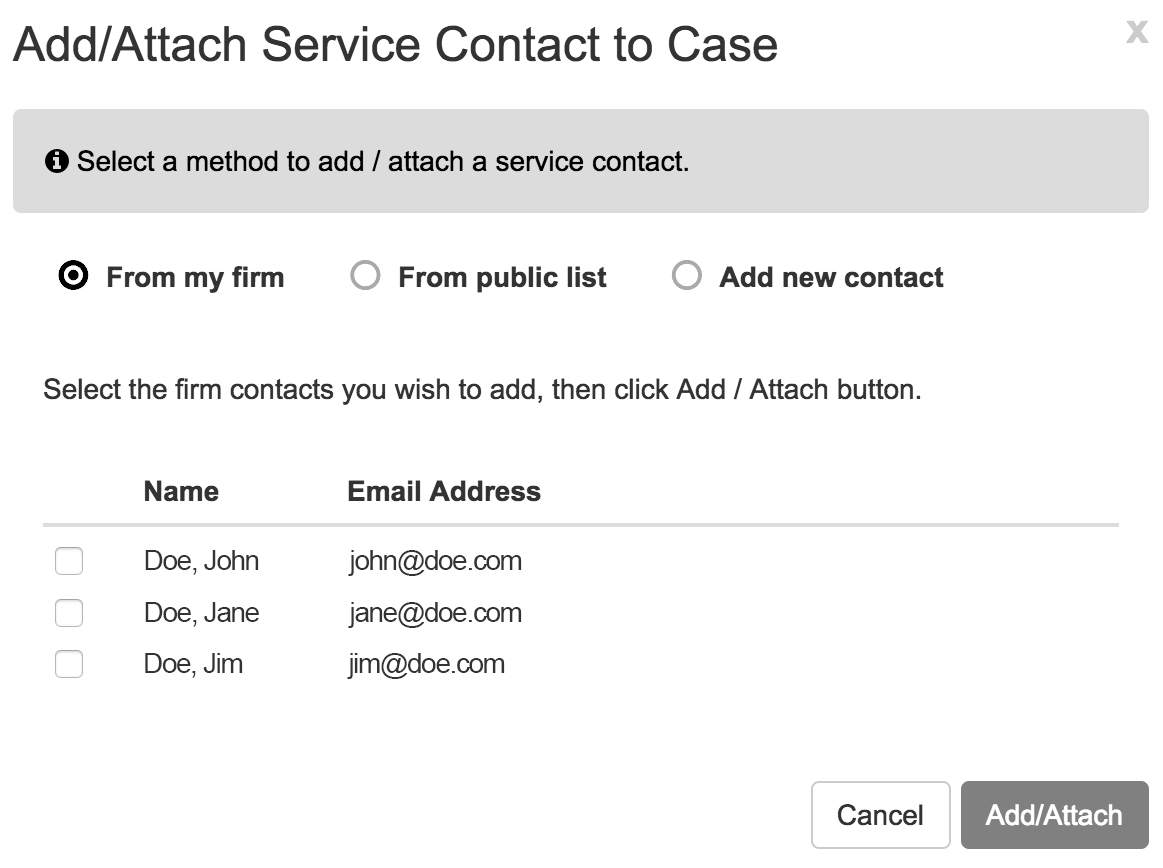
A modal popup will open, allowing you to add a contact From Your Firm, From a Public List (if the state offers it), or by Adding a New Contact.
How do I add a contact from my own firm?
This is the fastest way to add colleagues. Simply select the ‘From My Firm’ radio button from the above modal and check the box next to any contact(s) you wish to add to the case.
Can I search for contacts in a Public List?
Yes, depending on your jurisdiction. Select the ‘From Public List’ radio button from the above modal and search by name.
Note: Not all states offer a public list for searching. If your state does not, you will need to add the contact manually.
How do I add a brand-new contact?
If the person isn’t in your firm or the public list, select the ‘Add New Contact’ radio button from the above modal and enter their name and email information manually.
Can I add a service contact while I’m in the middle of a filing?
Absolutely. If you realize mid-filing that someone is missing:
- Scroll down to the Service Contacts section within the filing.
- Select any existing case service contacts or click the Add Service Contact link.
- Use the same methods mentioned above (Firm, Public List, or New Contact) to attach them.
How do I remove a service contact?
To detach a contact that YOU added, return to the Case Summary screen for that specific case.

- Go to the Service Contacts section.
- Click on the name you wish to remove.
- Click Detach Service Contact.
Important: You can only remove service contacts that you added. If a contact was added by another party and needs to be removed, you must contact the person who added them and ask them to perform the detachment.
E-Service and Confidential Documents: A Critical Warning
Security settings are paramount when handling sensitive information.
If a filer requests that the court list a document’s security as Confidential—whether via the dropdown menu or within the document itself—you must be extremely careful.
- The Golden Rule: NEVER select a party for e-service if you do not want them to see the document.
- Consent: Selecting a service contact for e-service means you, the filer, consent to that party being able to see all documents in the filing, regardless of the security setting.
To repeat: If you do not want the opposing party (or any party) to have access to a confidential document, NEVER e-serve them. E-serving a party constitutes your legal consent for them to access that specific document.
Does your system generate a Proof of Service?
No. We do not automatically create proofs of service. You are responsible for creating your own proof of service document and e-filing it into the case as a separate lead document or attachment, per your local court rules.